To log in to a teacher's account;
Visit the usual login url: https://educify.org/#/login.
You can login by inputting your Email address and password
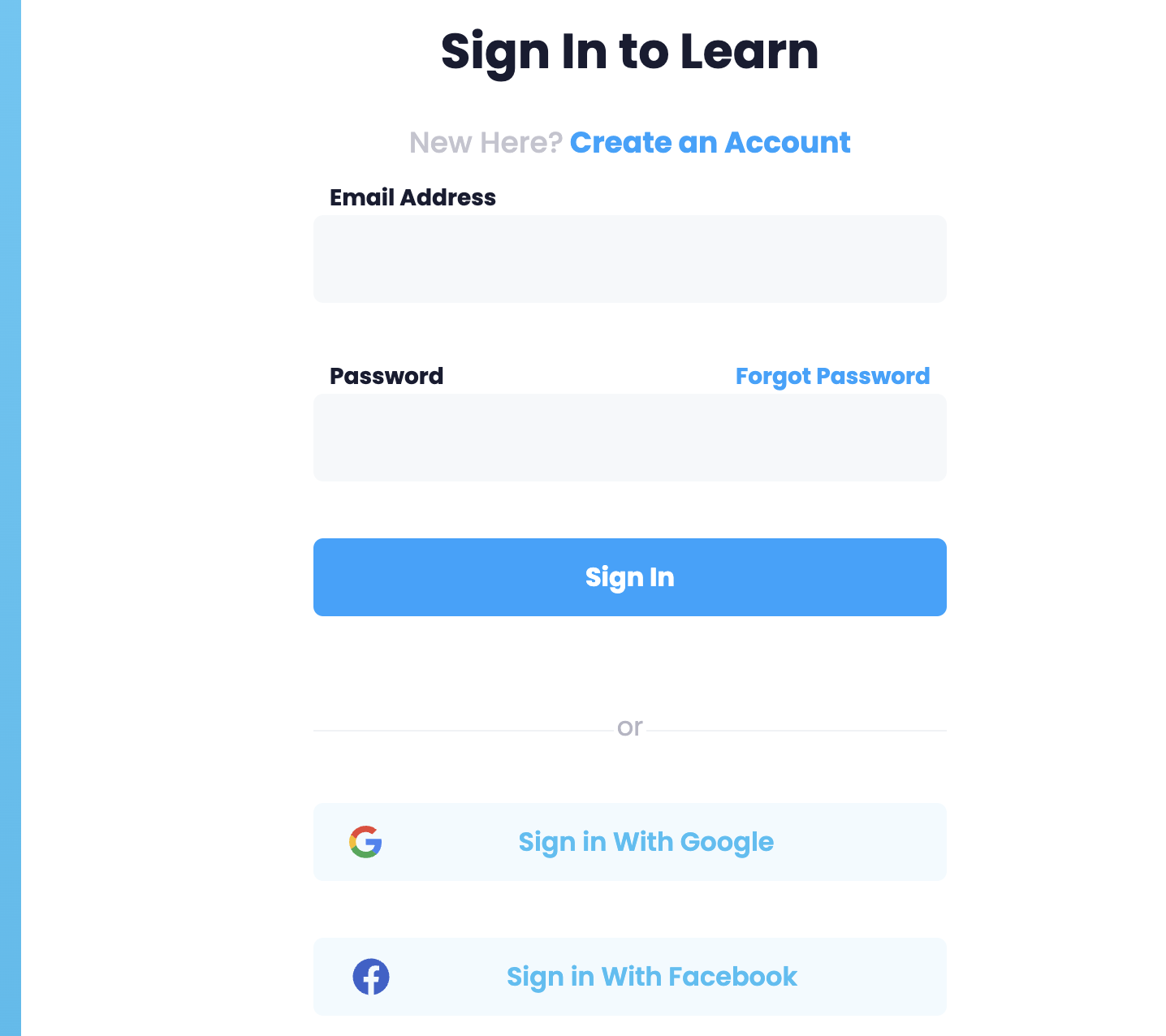
You need to remember the username(email address) and password that you used when creating your account.
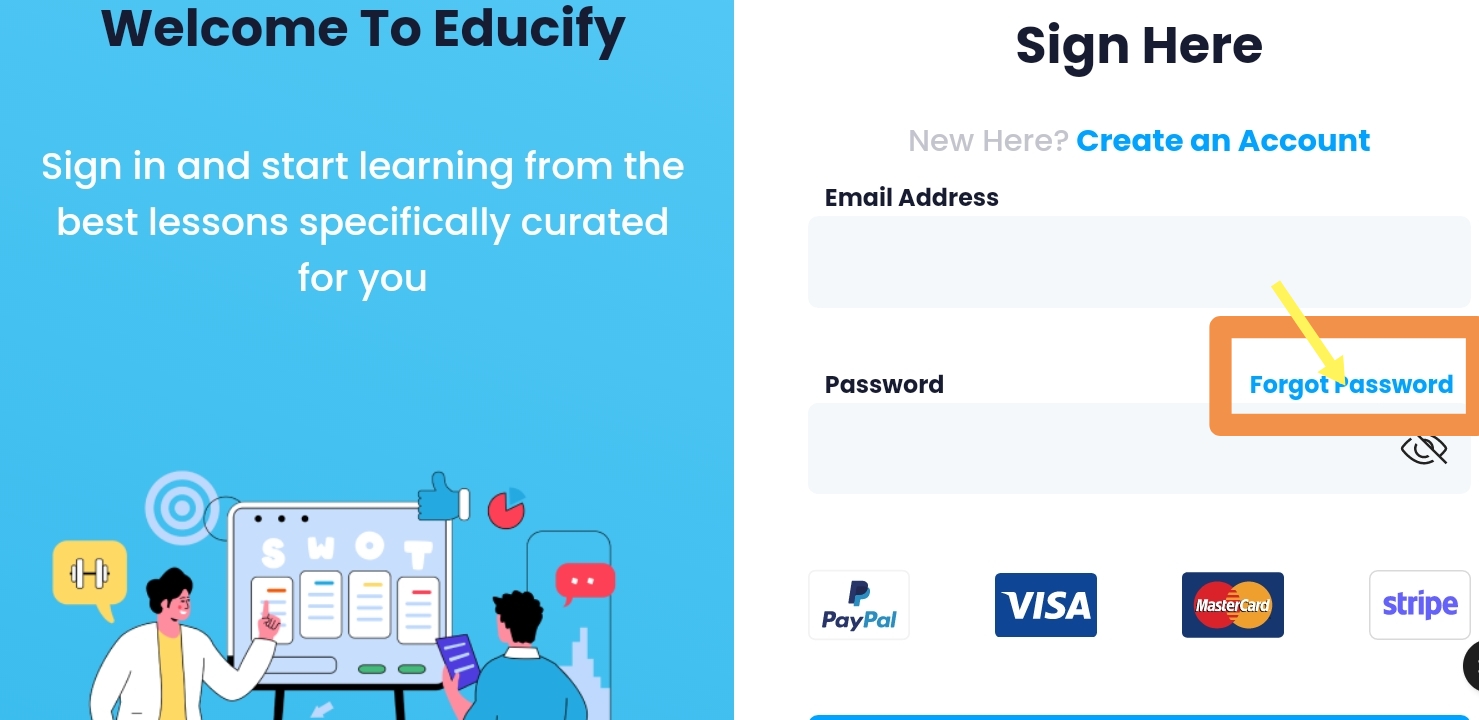
In case, you forgot your password;
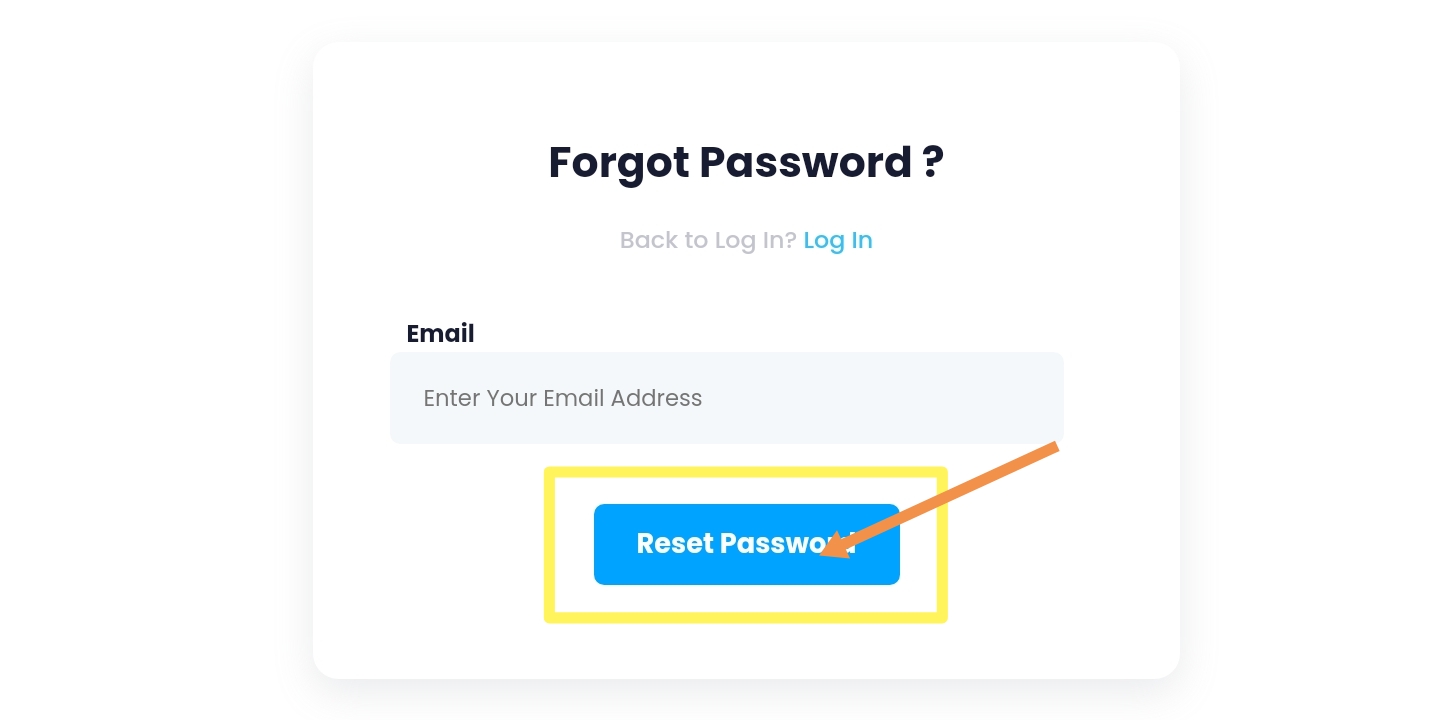
You need to click the "Forgot Password" option on the sign in page. Then in the next page you need to enter the email address you used when registering.
If you forgot your username, contact customer support for help.
Then a code would be sent to your email in which you would need to enter in the space provided and hit the blue button below.
On the next page you can enter your new password and finally select reset password.
You just got your account back, you can now login to your account and mark the box below to save your device as a trusted device.
For Further Information Please Kindly Click the Link Below:
Was this article helpful?
That’s Great!
Thank you for your feedback
Sorry! We couldn't be helpful
Thank you for your feedback
Feedback sent
We appreciate your effort and will try to fix the article