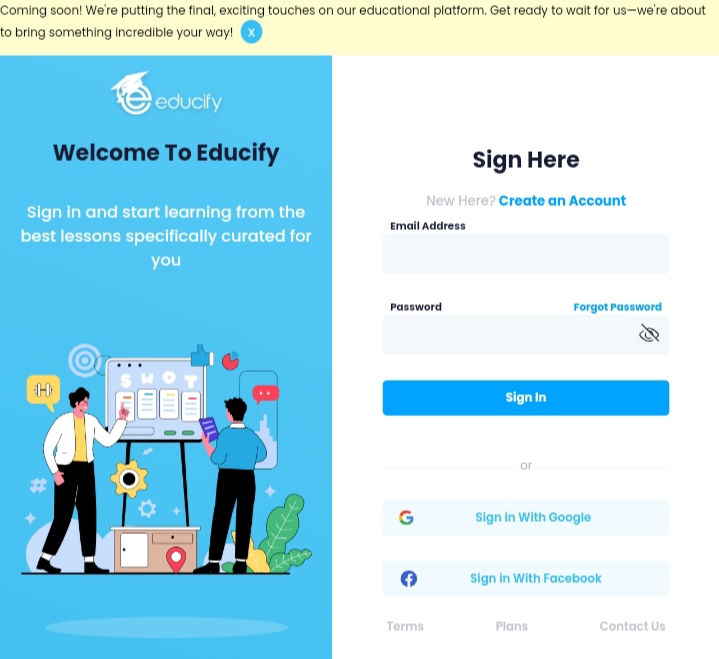
 The specific process for enrolling and registering on Educify may vary, but generally, you can follow these steps:
Visit the Educify Website: Go to the official Educify website.
Create an Account: Look for a "Sign Up" or "Create Account" option. You'll likely need to provide a valid email address, create a username, and set a password.
Verify Your Email: After creating an account, you may need to verify your email address through a confirmation link sent to the email you provided.
Log In: Once your account is verified, log in to the Educify platform using your credentials.
Explore Courses: Browse the available courses on Educify to find one that interests you.
Enroll in a Course: Click on the course you want to take and look for an "Enroll" or "Join" button. Some courses may be free, while others may have a cost associated with them.
Follow Enrollment Steps: Follow any additional steps provided during the enrollment process, which may include agreeing to terms, providing payment information (if applicable), or completing a profile.
Access Course Materials: After enrolling, you should have access to the course materials, lectures, and any other resources provided by the instructor.
If you encounter any difficulties or have specific questions during the enrollment process, you can check Educify's help or support section on their website or contact their support team for assistance.
Was this article helpful?
That’s Great!
Thank you for your feedback
Sorry! We couldn't be helpful
Thank you for your feedback
Feedback sent
We appreciate your effort and will try to fix the article