Some things you should do after signing up
#Remember to save changes after updating details
Update your profile (more about you) -certificates, address, background checks, education, etc.
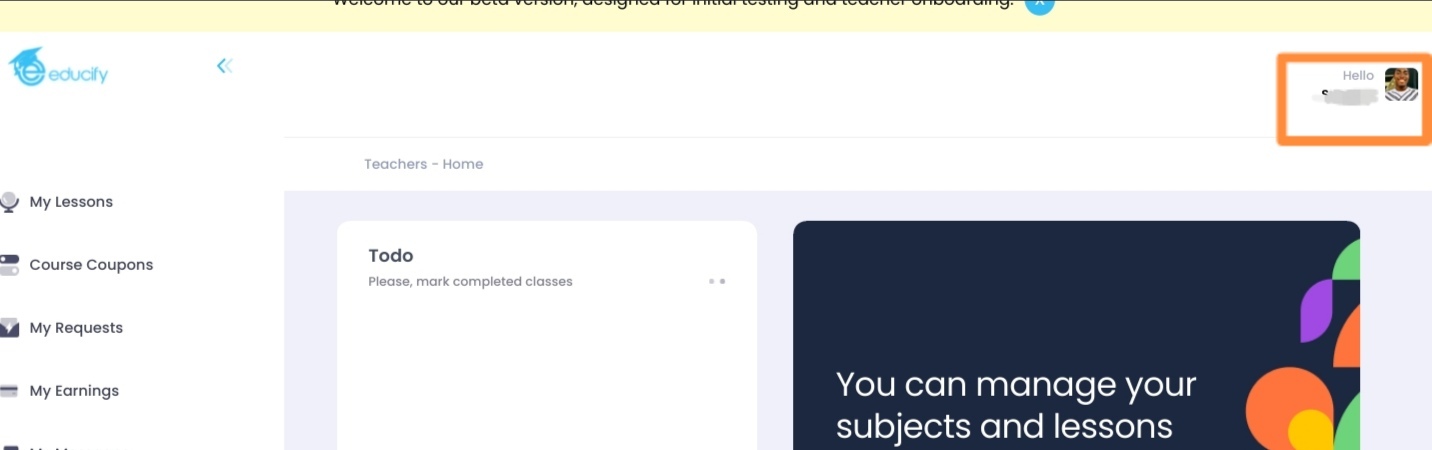
Select the picture at the top right corner (where you have 'hello' and your first name)
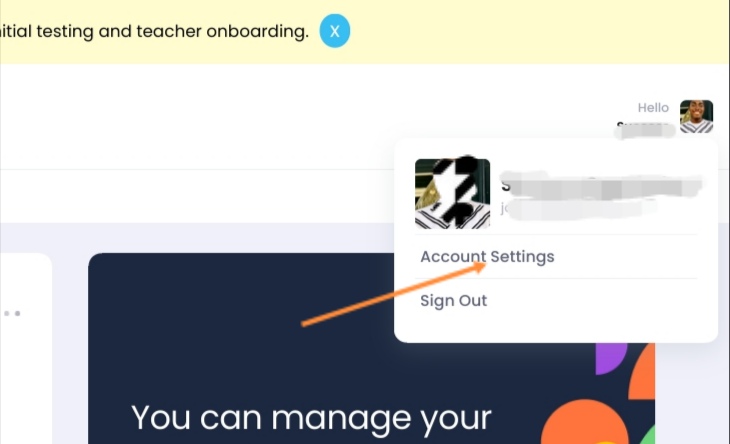
Then you select 'Account Settings'
After that you should see this:
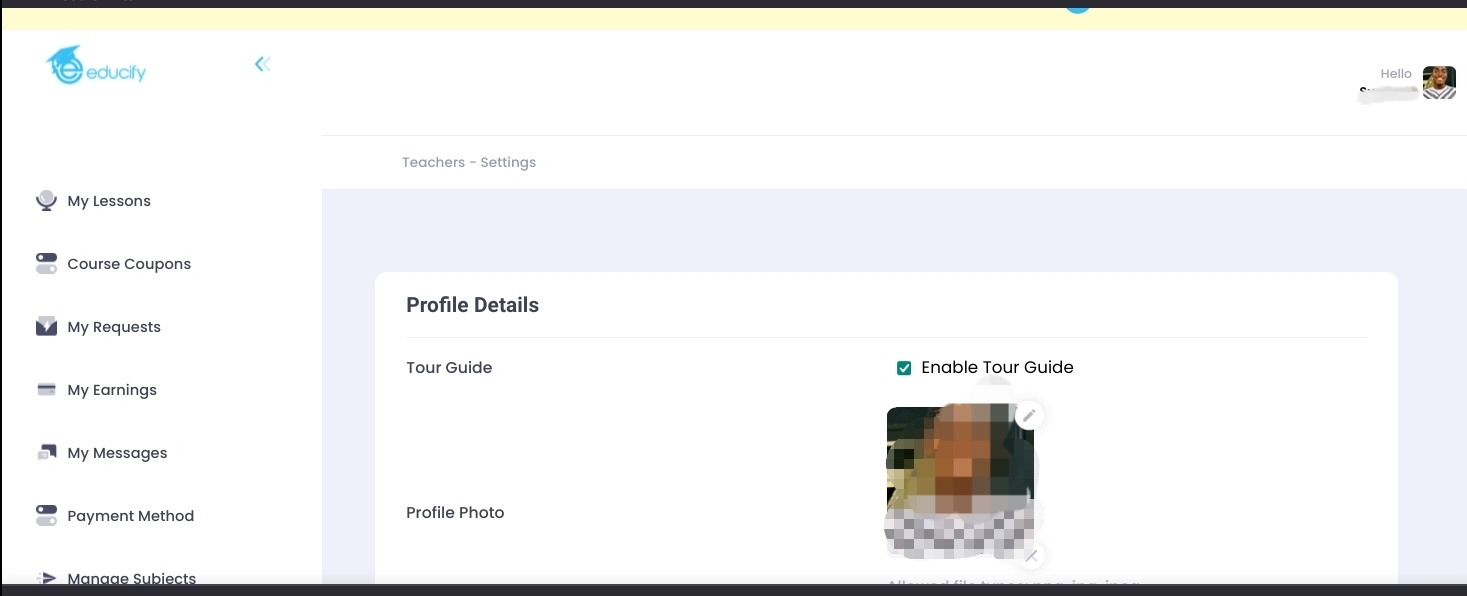
You can now update your details.
Add more videos and pictures
Videos can be inputted as url(s) (from YouTube, Vimeo, etc) or from your device
Videos must be less than 100mb and must be less than 300 secs.
The accepted video format is mp4.
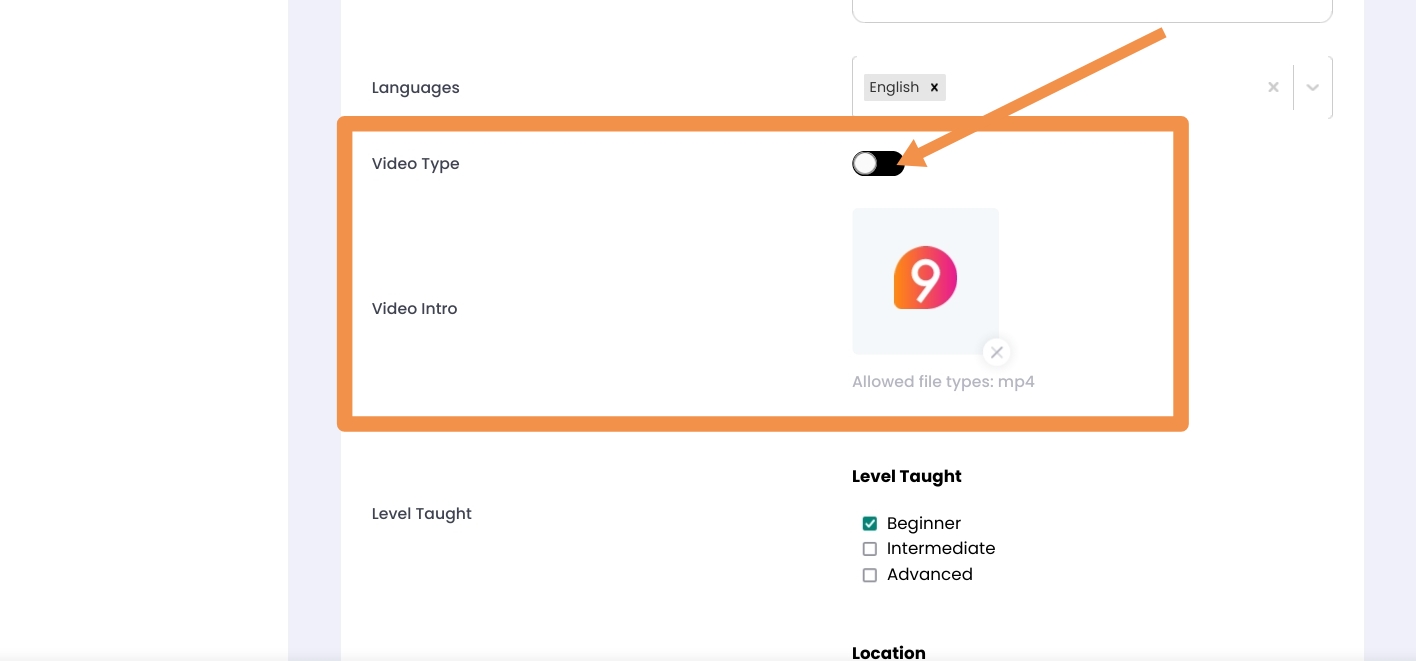
To input a url, tap the url, you should have this:
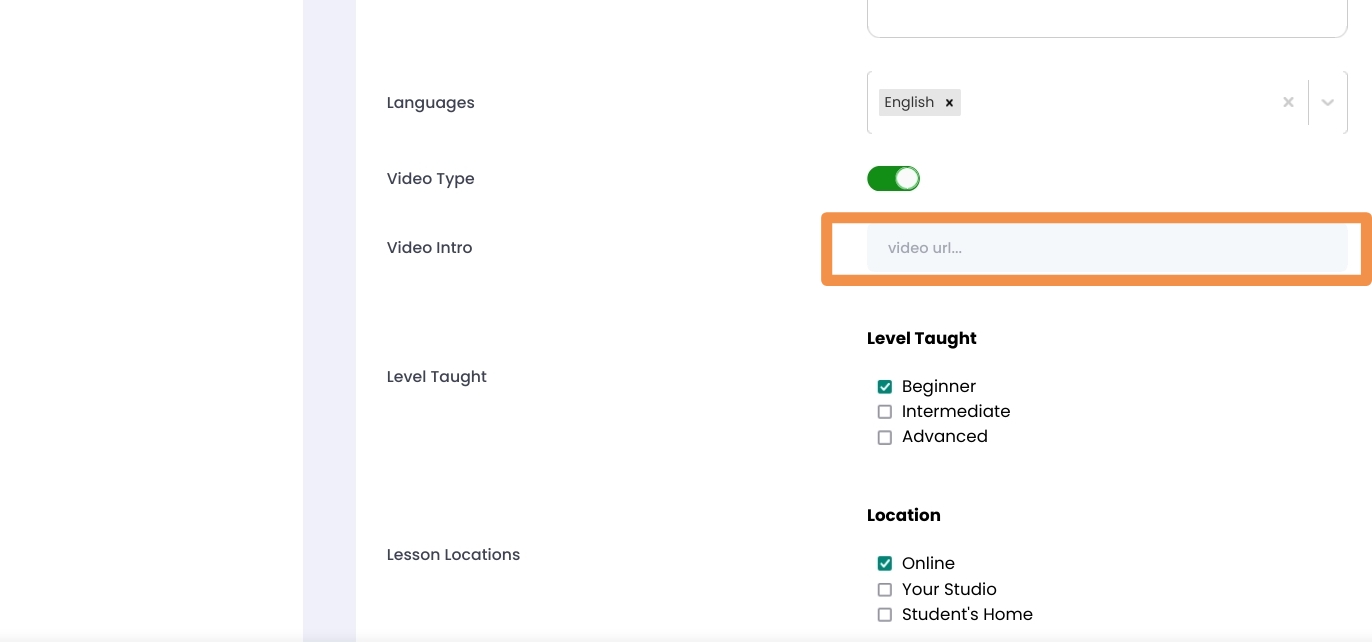
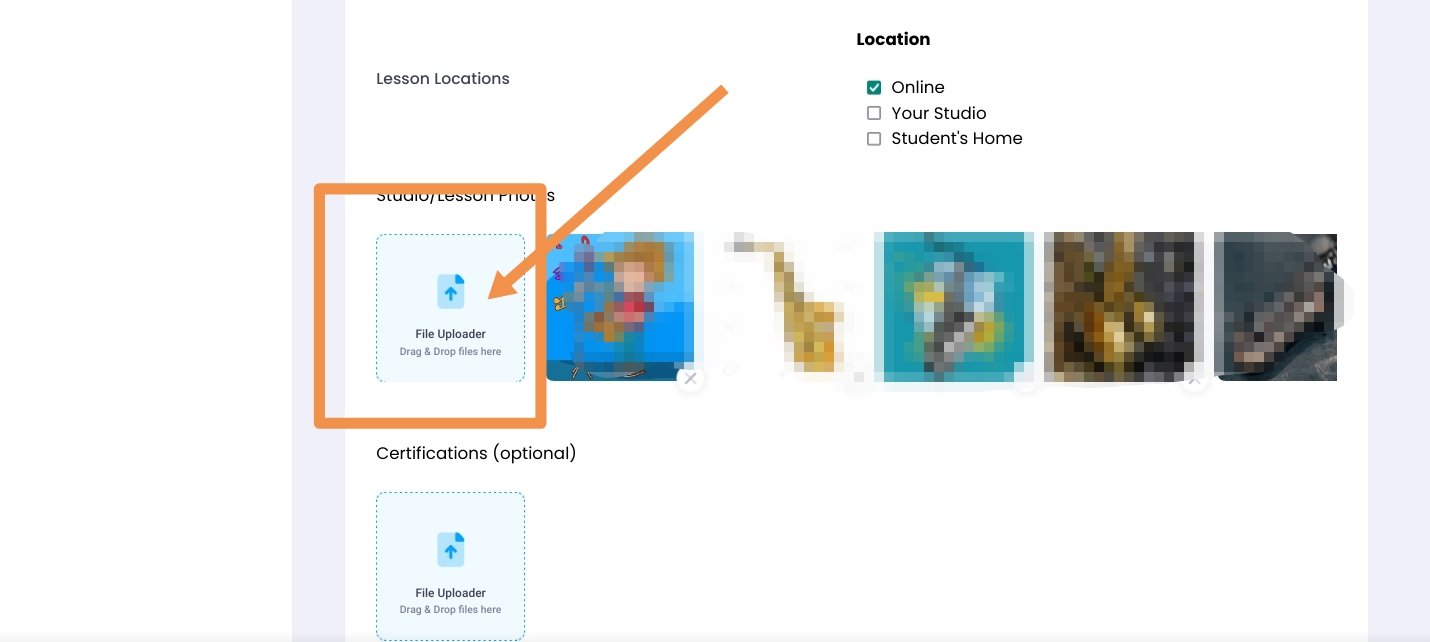
You can also upload files and pictures in this section of the teacher update page as below:
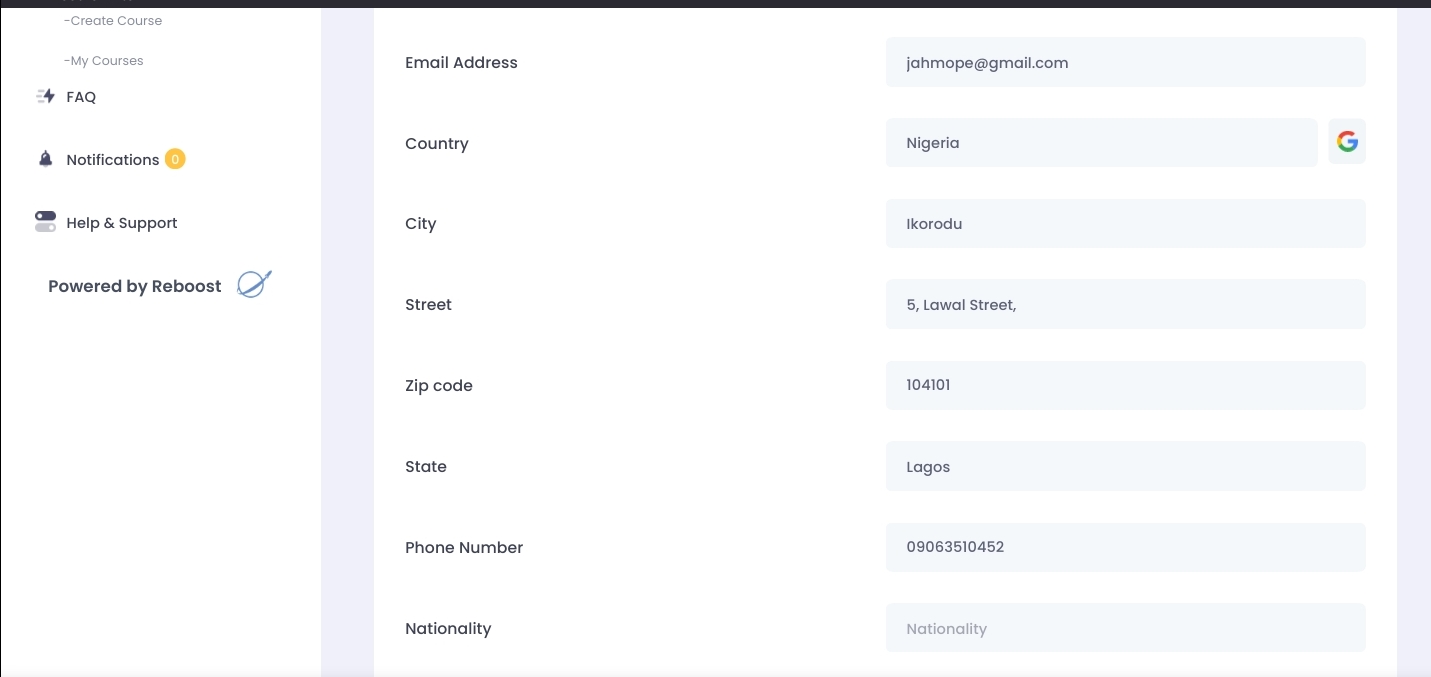
Update contact details
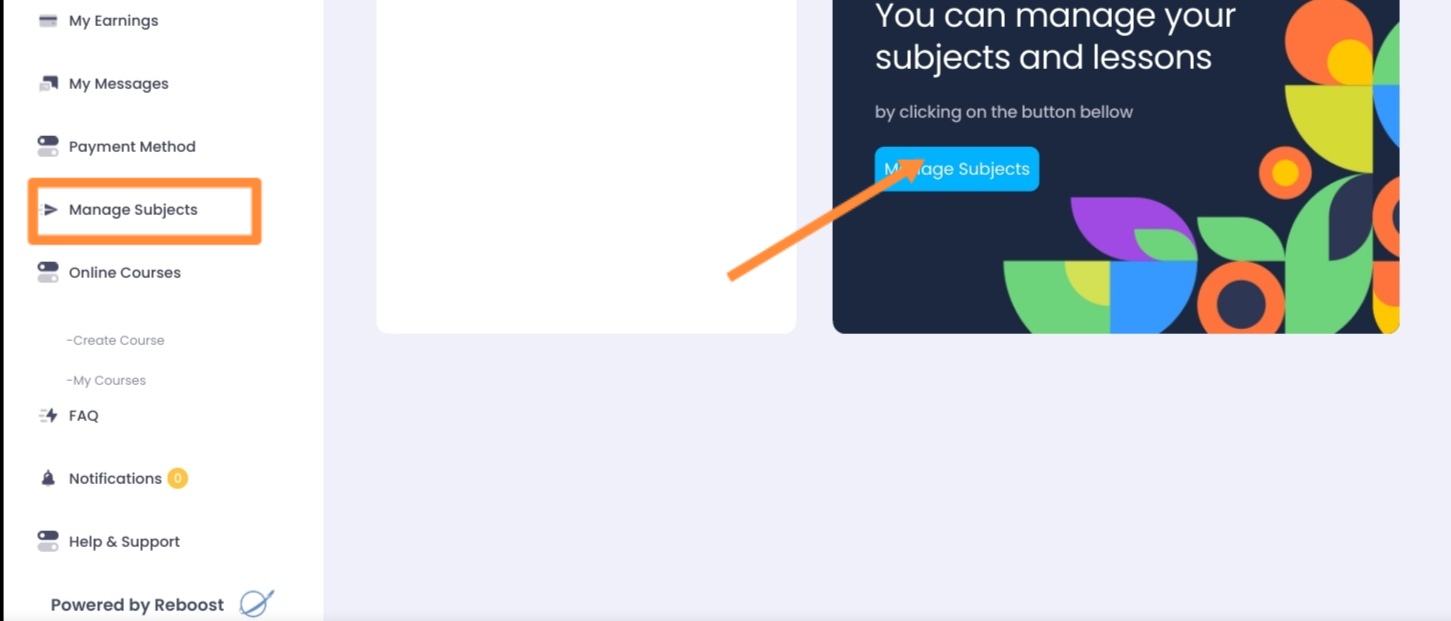
Managing Subjects
Was this article helpful?
That’s Great!
Thank you for your feedback
Sorry! We couldn't be helpful
Thank you for your feedback
Feedback sent
We appreciate your effort and will try to fix the article