Signing up for an account on Educify
To sign up for an account is a very easy and straightforward task. To do this you can simply visit this link (click me) . This should open the Educify homepage. You can also click this link to go directly to the sign up page

Then we proceed by clicking the "become a teacher" option as below:
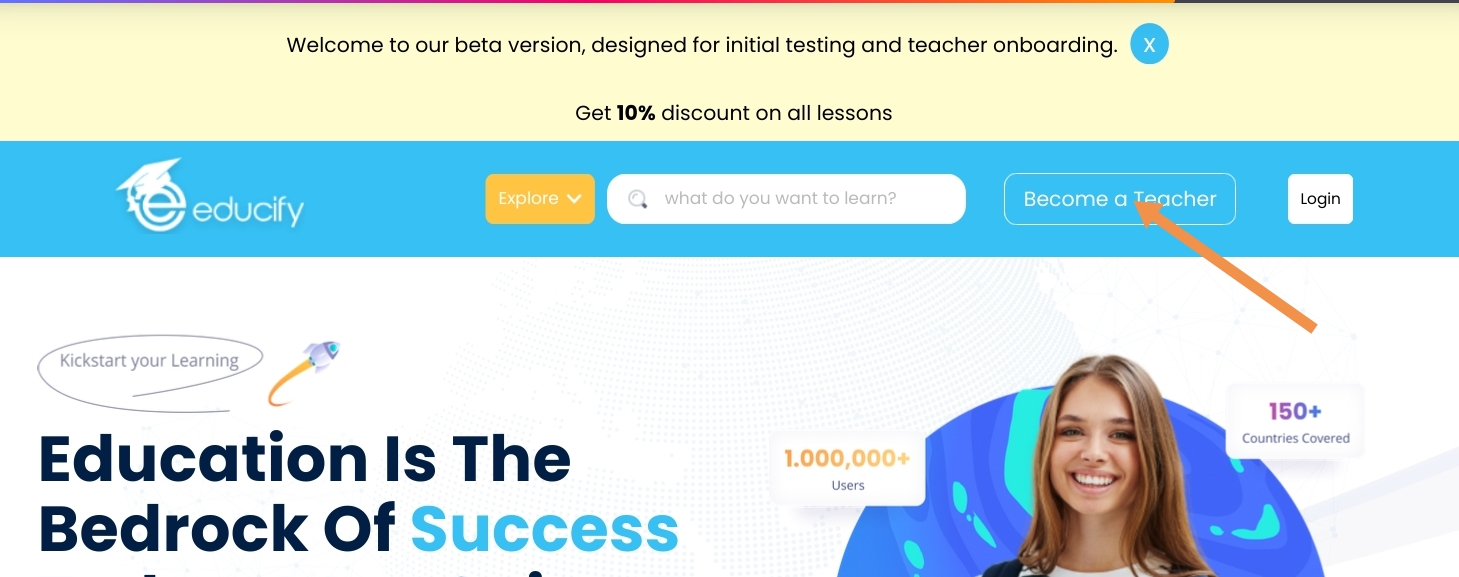
Or

Either way we would have our sign up page as something like this
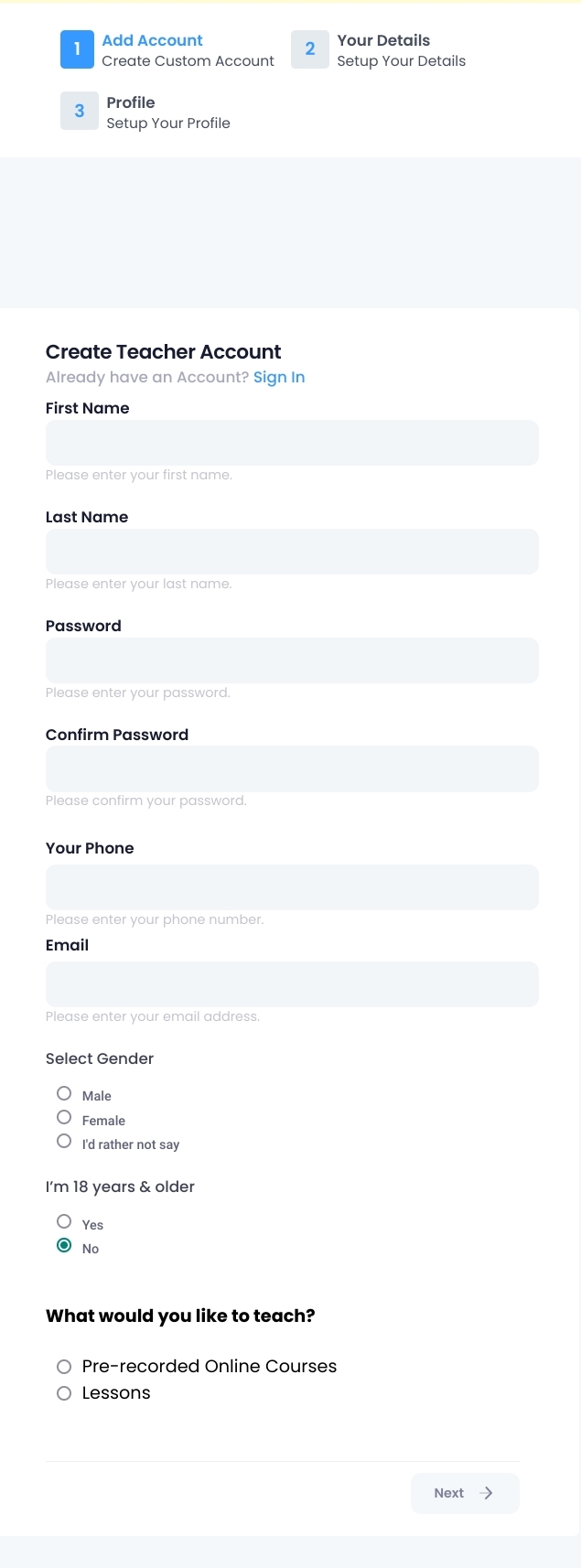
You could start by clicking the link above, Next, you enter your details, after entering all required fields, and Successfully clicking the Create an account button, you will get a confirmation of registration to the email you entered, while registering, with the title Registration successful.
Was this article helpful?
That’s Great!
Thank you for your feedback
Sorry! We couldn't be helpful
Thank you for your feedback
Feedback sent
We appreciate your effort and will try to fix the article